Paper or Screen for a Text You Need to Mark Up?
Paper or screen for annotating a text? Choose a format that suits the work, so your notes stay legible and useful when you need to return to them.
Paper or screen for annotating a text? The answer often hinges on what you need to do after you mark a passage: think beside it, find it again, or share the note. A pencil in the margin and a comment in a PDF leave different traces, and each suits a different kind of work.
Choose by the task in front of you, not by a permanent allegiance to paper or devices. The useful question is whether your marks need to stay visible alongside the words or be easy to search and move. That distinction can settle the choice before you begin.
Match the format to the work your marks must do
Start with the next action. Are you following a complicated argument, gathering passages for a draft, comparing recurring terms or preparing questions for a discussion? Each task puts a different demand on your annotations.
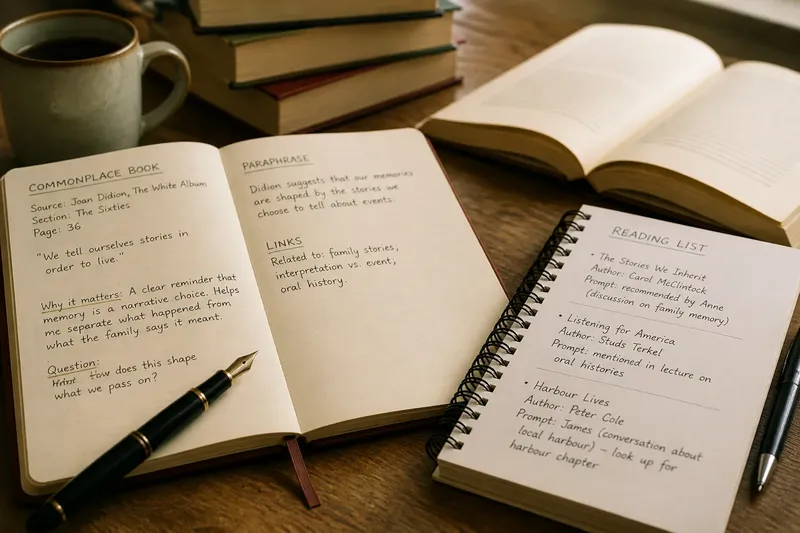
Paper keeps a passage and its margin within the same glance. You can add an objection, draw an arrow between paragraphs or sketch a small argument map without opening another tool. This can help when the shape of the page is part of how you understand the text.
A digital file makes it easier to search, edit and move notes. Search can locate a term across a document, while comments can record why a passage matters. These features are useful when you expect to retrieve particular material later, provided the file and app support them.
For a discussion, a few handwritten prompts may be all you need. For a draft drawing on several chapters, searchable comments or a separate notes document may be more useful. If you do not yet know the next task, make only a few marks and see whether you can explain them afterwards.
Use a simple decision list before you start
Check the conditions that will shape the reading session. Each answer points to a practical choice, rather than a more elaborate annotation system.
- Check whether the page needs to stay visible beside your thought. If you expect to sketch links or write beside a difficult passage, use paper; if a digital view keeps comments beside the text, use that instead.
- Check whether you must locate repeated words or phrases. If the file has searchable text, choose digital annotation; if search is unavailable or unreliable, use page references or a short index instead.
- Check whether you will read in more than one place. If carrying a book or printout is inconvenient, use a device with access to the file; if a screen would interrupt the session, prepare the relevant printed pages instead.
- Check whether you need to revise your marks. If your interpretation may change, use pencil or editable comments; if the notes are only temporary prompts, keep them brief in whichever format is easiest.
- Check whether the file permits comments and later access. If it does, add notes to the digital text; if it does not, keep a separate note with a page number and identifying words.
- Check whether another person needs to follow your references. If so, record page numbers or searchable section headings; if not, a private margin mark may be enough.
It is not worth the effort to colour-code every kind of thought before you know what you will need to retrieve. Begin with one clear mark for a passage and a short note for your response.
Choose paper when the page helps you reason
Paper is a good fit when your thinking happens close to the words. A printed draft, dense essay or text with linked arguments may invite arrows, questions and small diagrams in the margin. You can also see the note and its context together without changing views.
There are trade-offs. A stack of printouts takes space, and cramped handwriting can become difficult to read. Leave room for comments if you expect to write more than a question mark, and use pencil if you may want to revise an interpretation.
Paper marks are less convenient to search. If you later need to find a definition, add a page reference or a small index rather than expecting the margins to behave like a database.
Choose a screen when you need to search or move notes
A screen is useful for documents you consult in different places or search for recurring language. A laptop can show the text beside a working note; a tablet or e-reader can make a file easier to carry than a bundle of pages. The right option depends on the file and annotation tools, not simply on the fact that it is digital.
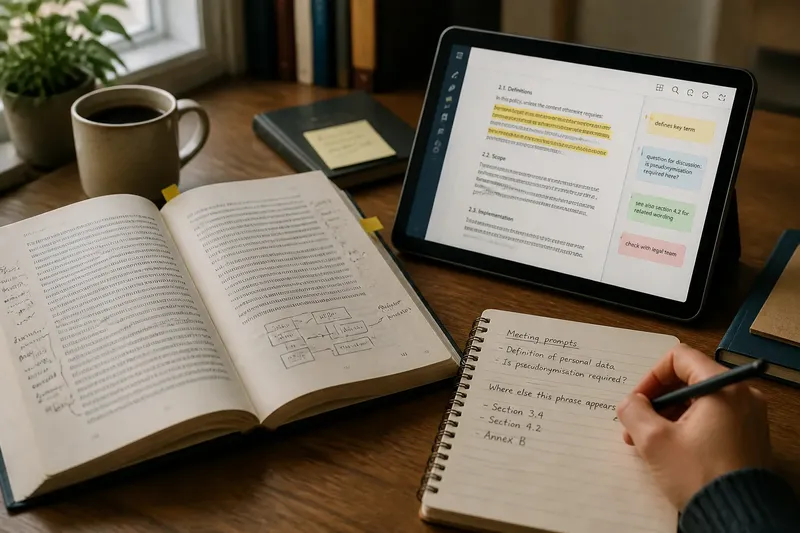
Give each mark a job. For example, reserve highlights for passages to revisit and comments for your own interpretation. A bright stripe alone may not remind you why a sentence mattered; a short note such as “defines the term” or “question for discussion” gives it context.
Digital notes can be tied to a particular app, account or file version. Before relying on them later, check that you can reopen the annotated file or export the notes in a form you can use. Copy only what the next task requires; transferring every highlight into another system is usually needless work.
Which format suits these annotation questions?
Is paper better for close reading?
Paper can help when you want a passage and your margin note visible together. It is particularly handy for sketching relationships between nearby ideas, though a digital view can do the same if it keeps comments clearly attached.
Can I search handwritten annotations?
Not directly in the way you can search recognised text in a digital file. You can transcribe selected notes or make a short index, but if frequent retrieval matters, searchable comments may be the simpler choice.
Can I read on paper and keep digital notes?
Yes. Record a page number and a few identifying words alongside each note so you can reconnect it to the passage. Capture your response and its location rather than copying long sections into a second document.
What should I do if I cannot decide?
Choose the format that lets you start without fuss, then inspect a few marks before continuing. If you cannot tell what a highlight means or find a useful passage again, change the mark or format for the next session.
Put the choice into practice on one text
Say you have a printed policy document and need to discuss its definitions at a meeting; colleagues may also ask where a phrase appears elsewhere. Start by writing a short question beside each definition that needs discussion. Then, if a searchable digital copy is available, search for the phrase colleagues are likely to ask about and note the relevant section. The result is a set of prompts for the meeting and a direct way to locate repeated wording, without asking either format to do every job.
After reading, scan your marks and keep the ones tied to a real next action: a question to raise, a definition to check or a passage to cite. If you are unlikely to return to the text, leave the rest alone rather than moving every underline into an archive.
For paper or screen annotation, let the task decide: use paper for thoughts that belong beside a visible page, a screen for portable and searchable notes, or both when you genuinely need each. A useful mark is one you can still understand when you return to the passage.